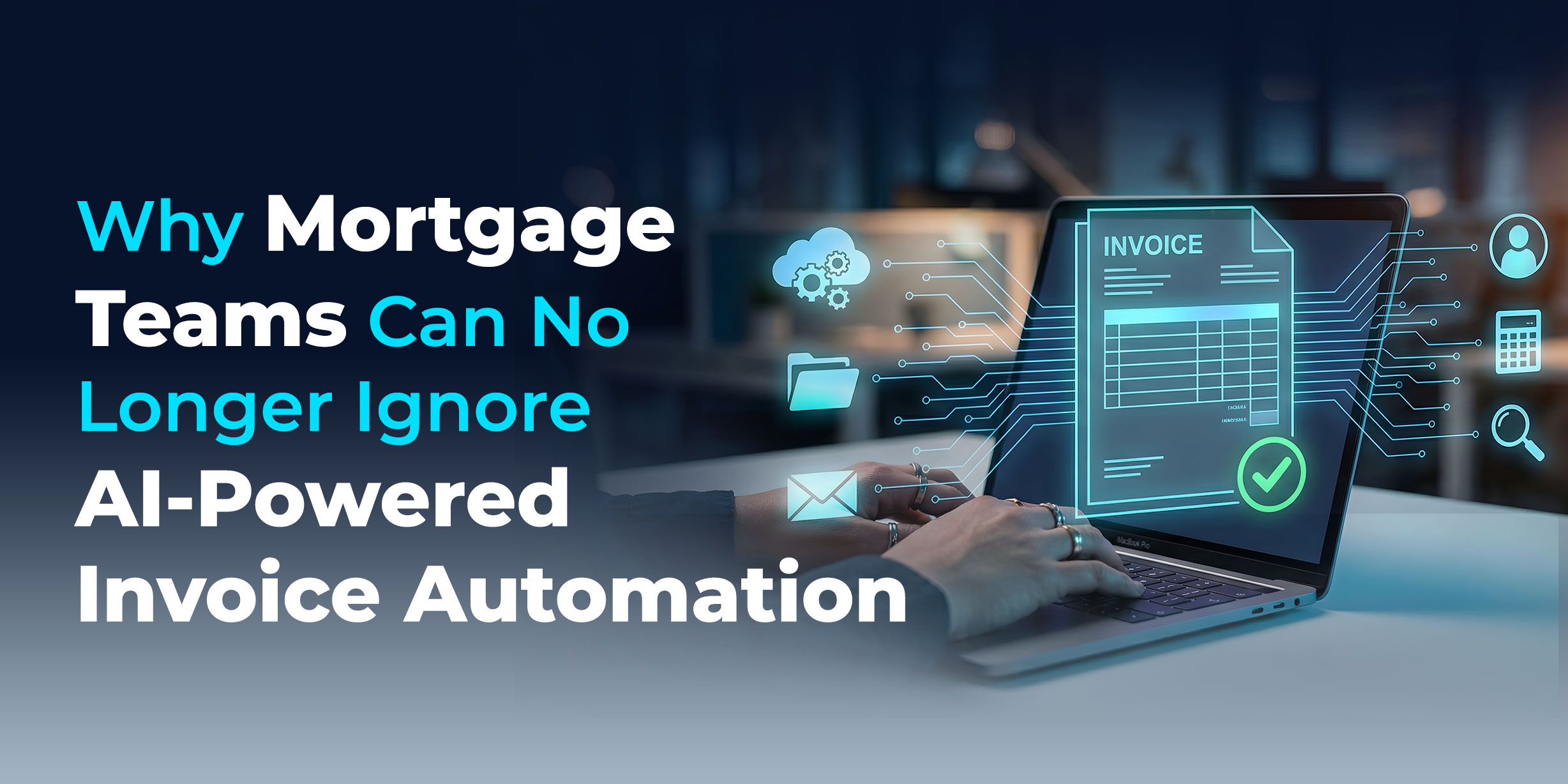
Handling invoices wastes time, invites errors, and costs more money. Companies managing a large number of invoices often face delays duplicate transactions, and poor tracking.
Automated invoice software tackles these problems by transforming the entire accounts payable workflow into a smooth digital system. Advanced AI tools enhance precision, handle scaling, and provide instant insights while going beyond basic automation.
If you want to work faster, cut expenses, and get rid of manual delays using an invoice automation platform isn’t just a nice option anymore—it’s something you need.
What Is Invoice Automation Software?
Invoice automation software is a tool that handles capturing, verifying, and organizing invoice data , cutting out the need for manual work.
Unlike older methods, automated invoice processing software relies on advanced tech like:
- Optical Character Recognition (OCR)
- Artificial Intelligence (AI)
- Machine Learning (ML)
These tools allow companies to handle invoices in various formats such as PDFs, emails, or scanned files, with very little effort from people.
Major Features:
- Capturing invoices
- Extracting and checking data
- Automating workflows
- Routing approvals
- Integrating payments
The result is a system that processes invoices from PDFs, scanned documents, and emails with minimal human intervention — at any volume, without sacrificing accuracy.
How Does Automated Invoice Processing Work?
Knowing how invoice processing automation software operates lets you assess its real benefits.
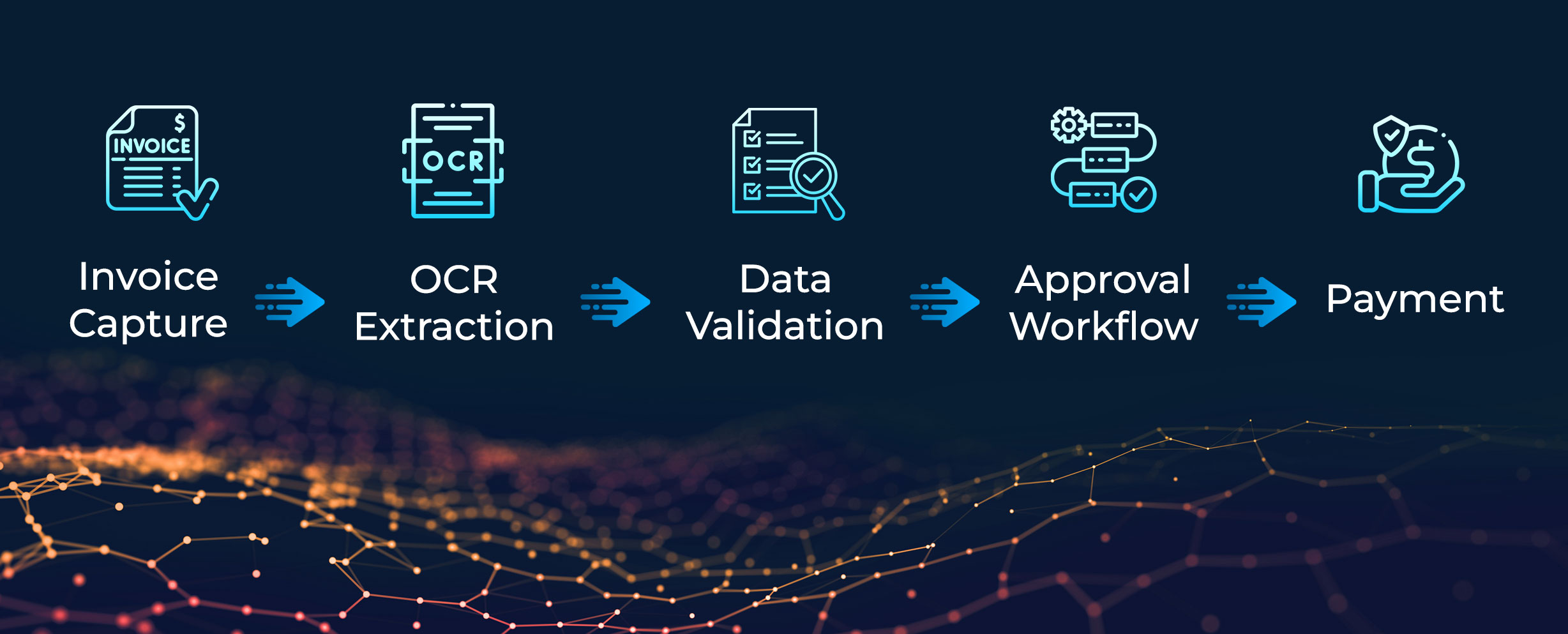
Step-by-Step Process:
- Gathering Invoices: The system gathers invoices from different places like emails, scanned files, and PDFs.
- Extracting Important Data: Using tools like invoice OCR software, the software pulls key details such as invoice numbers, vendor info, and payment amounts.
- Checking Data: It matches the extracted information with purchase orders or existing databases to check for accuracy.
- Workflow Routing: The system sends invoices to the right person to approve them using set rules.
- Approval and Payment: After approval, the system processes invoices to pay them and saves the records.
What this means operationally:
- Processing cycle times drop from days to hours
- Manual touchpoints are reduced by up to 80%
- Every transaction is traceable and audit-ready by default
Key Features of Invoice Automation Platforms
Good invoice automation tools come with useful features to make processes easier.
- AI-Powered Data Extraction: The platform picks details from invoices with great precision through machine learning.
- Automated Workflow Management: The system assigns invoices to the proper flow by following business rules.
- Real-Time Tracking and Visibility: You can check where an invoice is at any point in the process.
- Integration with ERP Systems: The platform works well with existing ERP software works with ERP and accounting systems.
- Stopping Duplicate Payments: Blocks duplicate transactions and helps prevent fraud.
- Supports Many Formats: Processes invoices from PDFs, images, or even emails.
- Record Keeping for Compliance: Creates clear records to meet audit and compliance needs.
Why Are Mortgage and Financial Institutions Switching to
Invoice Automation?
Using invoice automation tools can make a big difference for businesses.
Faster Invoice Cycle Times: Reduce average invoice processing time by up to 70% — from days-long manual workflows to same-day straight-through processing for clean invoices.
Significant Cost Reduction: Eliminating manual data entry and paper-based routing cuts AP operational costs by 30% or more — without reducing headcount on higher-value work.
Near-Zero Error Rates: AI validation reduces invoice error rates from an industry average of 15-20% with manual processing to under 1% —eliminating costly rework and vendor disputes.
Faster Approval Cycles: Automated routing removes theapproval bottlenecks that delay payment and damage vendor relationships. Approval cycle times drop from weeks to hours.
Real-Time Cash Flow Visibility: Live dashboards give AP teams and finance leadership an accurate, up-to-the-minute view of outstanding liabilities, payment schedules, and cash flow exposure.
Built-In Fraud Prevention: Duplicate detection, vendor verification, and anomaly flagging protect against both accidental overpayments and deliberate invoice fraud.
Industry Applications
Automating invoices works for all industries. It’s a flexible wide-ranging solution.
Banking and Financial Services
- Handle high volumes of invoices
- Ensure compliance with regulations
- Keep track of payments to vendors
Mortgage Sector
- Simplify heavy document handling
- Speed up loan approvals
- Boost efficiency across operations
Large Organizations
- Manage invoices across multiple locations
- Work with ERP systems
- Expand workflows as needed
Small Companies
- Budget-friendly AP tools tailored to small businesses
- Less need for manual workers
- Payments processed more
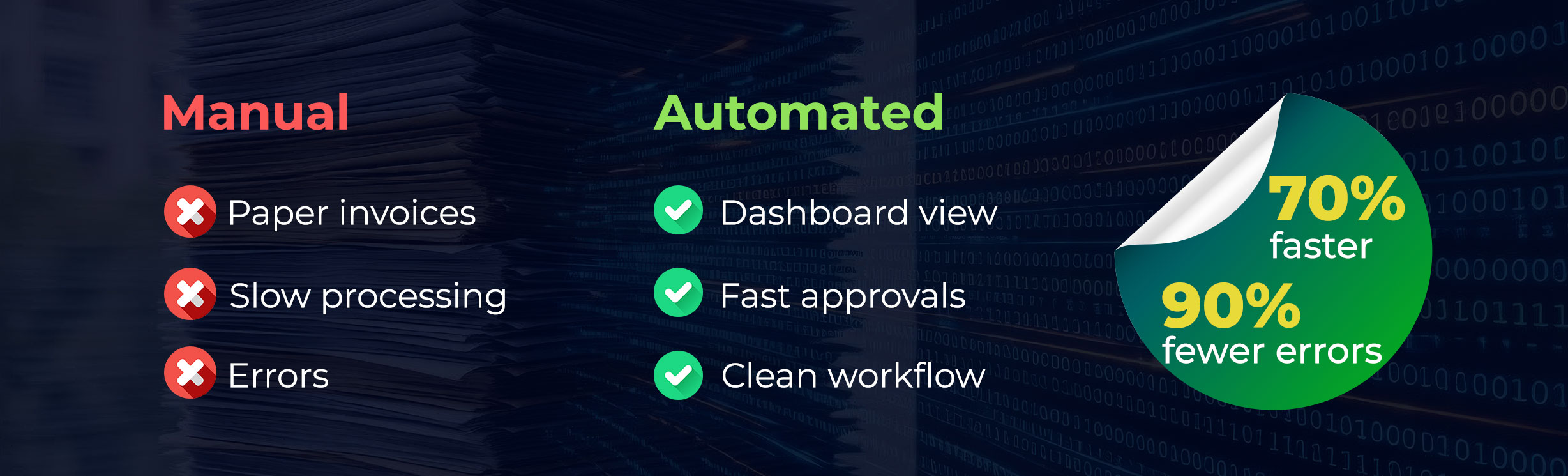
Manual Invoice Handling vs Automated Systems:
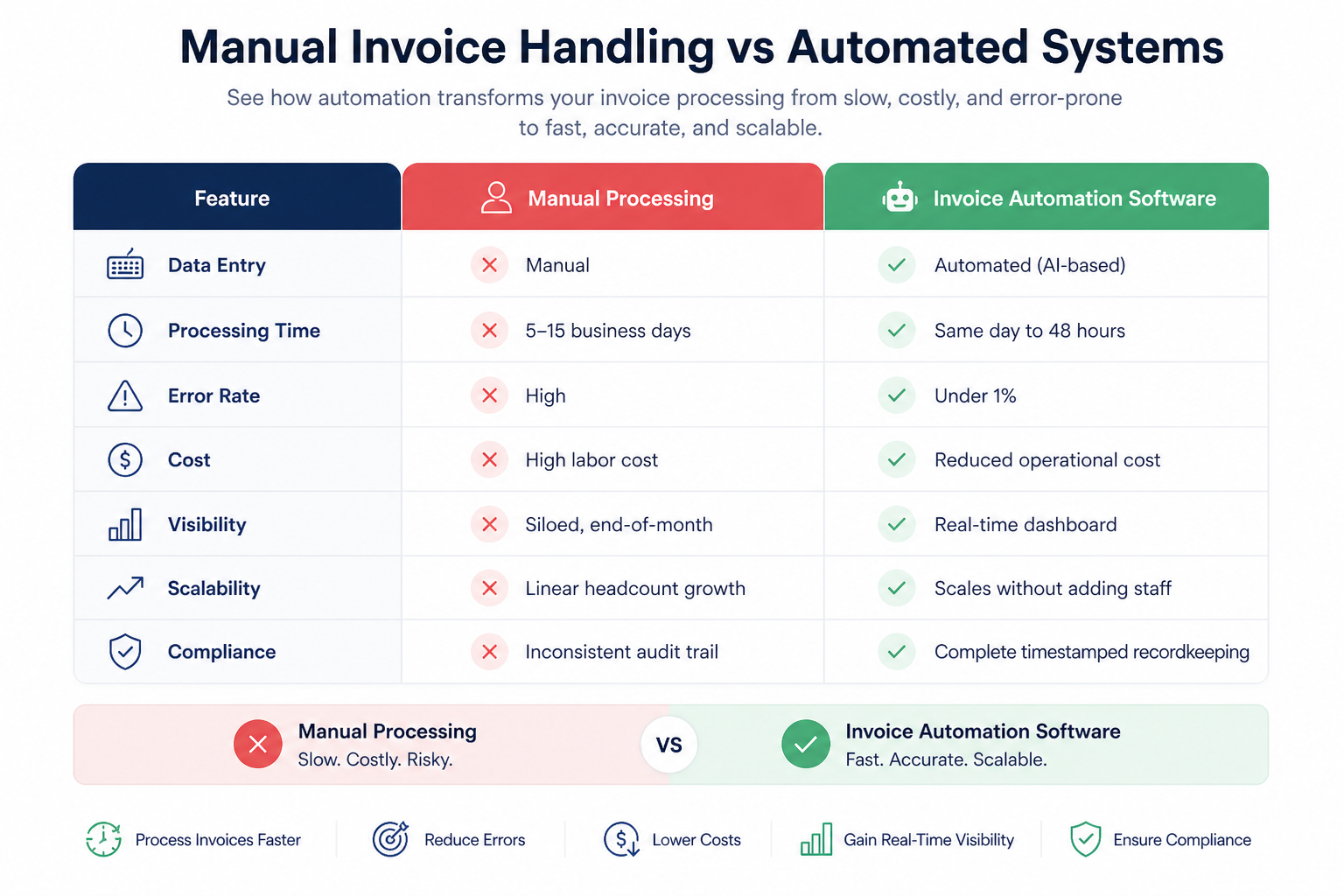
Manual processing doesn’t just cost more — it creates compounding operational and compliance risk that becomes harder to unwind as invoice volume grows.
Why Go with Nexval for Invoice Automation?
Choosing the right invoice automation partner matters more than choosing the right software. Nexval combines purpose-built AI with deep domain expertise in mortgage and financial services — so the platform is calibrated for the document types, compliance requirements, and workflow complexity your industry actually operates in.
What sets Nexval apart:
Domain-Specific AI Models:
Not generic automation. Nexval’s extraction and validation models are trained on mortgage and BFSI document set s — delivering higher out-of-the-box accuracy on the invoice types your business actually processes.
30% Faster Processing from Day One:
Measurable operational improvements from implementation, not after a 12-month tuning period.
Accuracy-First OCR:
Nexval’s invoice data extraction software is built to minimise exceptions — reducing the manual correction burden that undermines the ROI of most automation deployments.
Scales With Your Volume:
Whether you’re processing 500 invoices a month or 50,000, the platform maintains consistent performance and accuracy without infrastructure changes.
Clean System Integration:
Pre-built connectors for major ERP and accounting platforms mean implementation doesn’t require a custom integration project.
Workflows Built Around Your Business Rules:
Not a generic workflow template. Nexval configures approval chains, exception handling, and routing logic to match the way your AP operation actually works.
Act Now
Upgrade Your Accounts Payable Process
Avoid wasting time on manual tasks for invoices.
Switch to AI-driven automation to boost productivity.
Learn How to Save 30% on Costs
FAQ:
How can I pick invoice management software with automated reconciliation?
Choose software that comes with AI-based data extraction, links to your ERP system, lets you customize workflows, and provides reports in real time. Check if it can match invoices with purchase orders and payments.
What does automated invoicing software do?
It’s a system that creates, tracks, and handles invoices without needing manual work. It relies on technologies like AI and OCR to streamline the process.
Can you explain invoice automation software?
Automation software for invoicing simplifies the whole process, from collecting data to making payments. It cuts down on manual tasks and makes things work smoother.
What is the top invoicing software for small businesses?
The best choice depends on what you need. Pick one that is affordable simple to use, can grow with your business, and offers features like OCR and automated workflows.
What tools are good to automate invoicing and expenses?
Most companies use accounts payable automation tools that combine invoicing, expense management, and payment handling all in one system.
Is invoice automation software compliant with financial industry regulations?
Nexval’s platform is built with BFSI and mortgage compliance requirements in mind. Every transaction generates a complete, timestamped audit trail. All records are stored in accordance with standard financial document retention requirements.